 SIGN IN / UP
 Control Panel






We fully understand that the biggest concern when introducing limits is the risk of a website or server being unexpectedly suspended due to exceeding those limits. We hasten to reassure you: there will be no total blocking or suspension of services under any circumstances.
🔒 Continuity Guarantee: If you completely exhaust your bundled traffic, your channel will NOT be blocked. The server will keep running, and access to your websites will be preserved. The only thing that will change is that the port speed will be temporarily limited to 100 Mbps. This is more than enough for the basic operation of your project while you calmly and without any rush purchase the required amount of traffic.
How to buy more traffic in 4 simple steps:
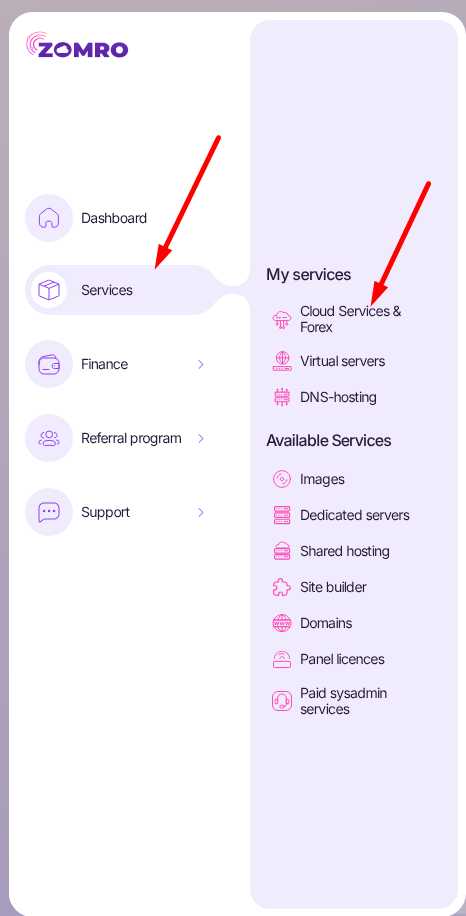
- In your personal account, go to the "Services" -> "Cloud Services & Forex" tab.
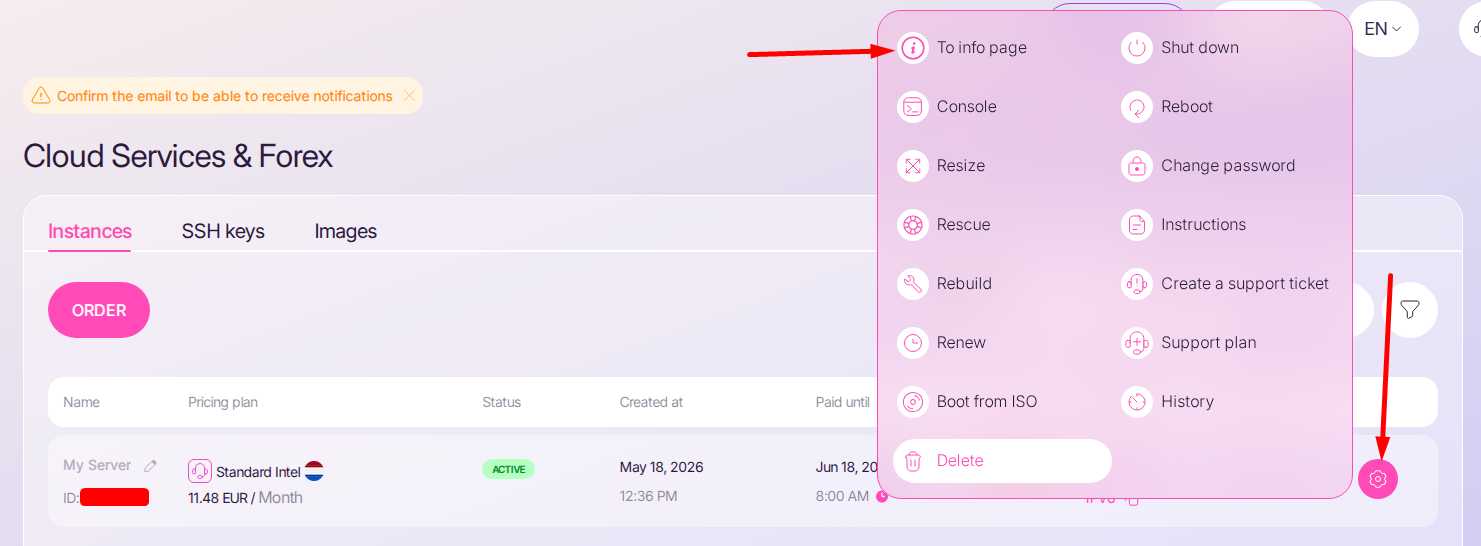
- Opposite your active server, click on the pink gear icon and select the "To info page" option.
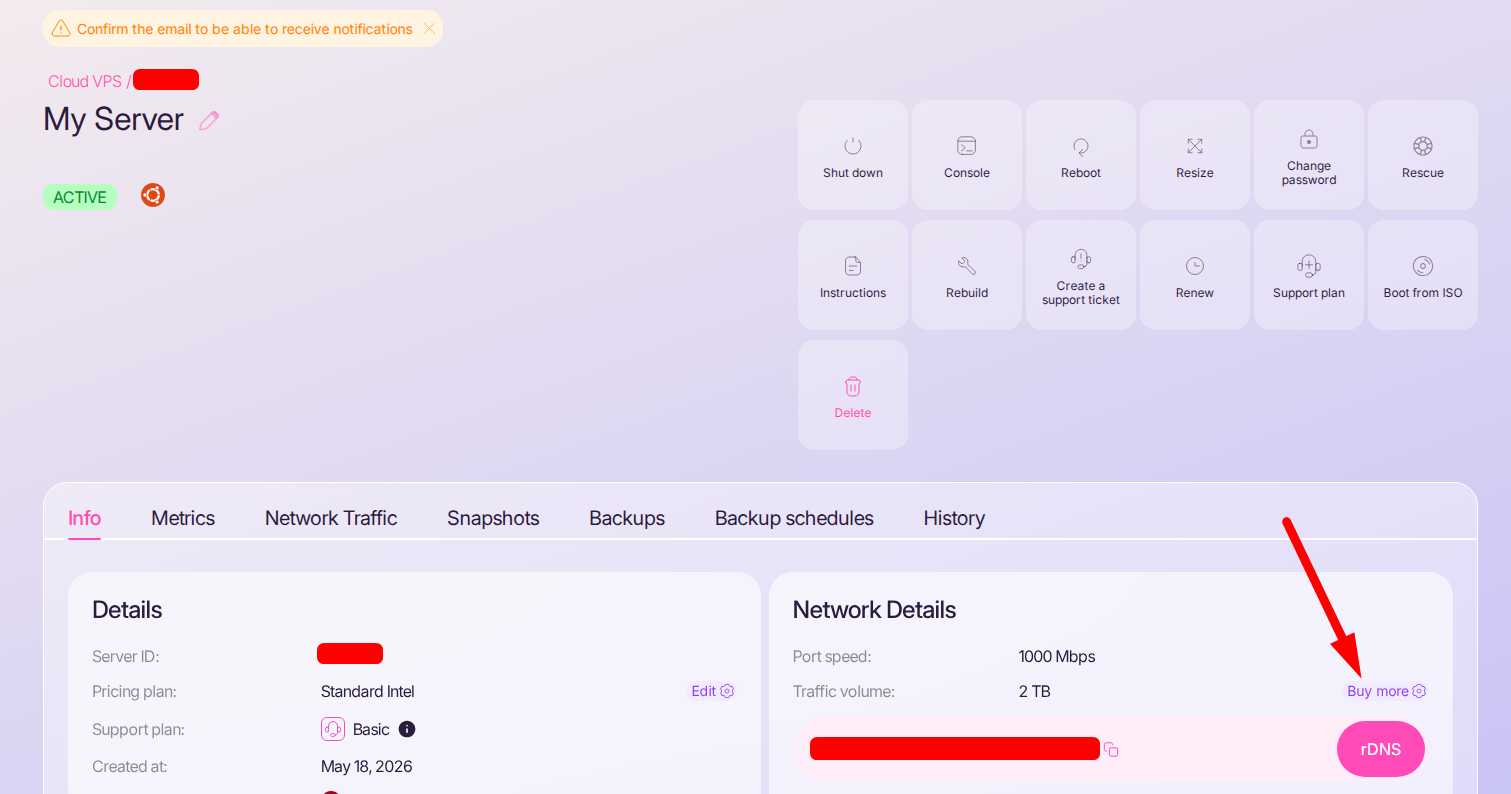
- In the "Network Details" block, you will see your current limit. Simply click the "Buy more" button next to it.
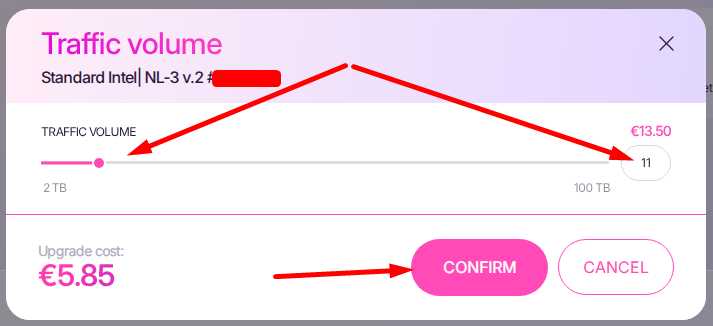
- Using the convenient slider or text field, select exactly how many terabytes you need, check the transparent pricing, and click "CONFIRM".
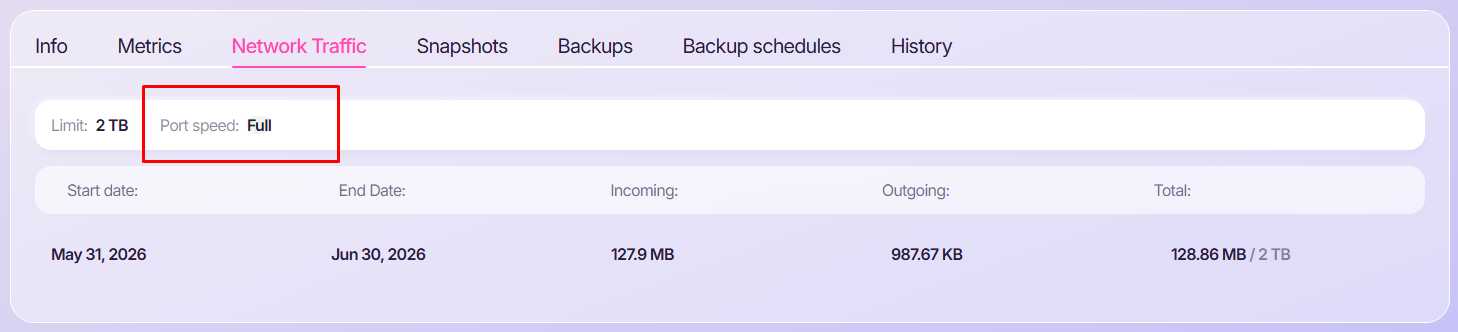
You can check the current traffic status on the Cloud servers list page or on the server management page under the "Network Traffic" tab. The second option also allows you to see the port status — whether it is operating at full speed or a limited one.

We hope this information has been helpful to you. If you have any additional questions, please feel free to contact our technical support team!
 CLOUD VPS
  DEDICATED SERVERS
  HOSTING
  3 months