 SIGN IN / UP
 Control Panel






Deploying a website or web application is not just about uploading files to a server. It is a process that involves choosing the right infrastructure, preparing the environment, configuring a domain, setting up an SSL certificate, connecting a database, organizing updates, and planning backups.
As Zomro specialists, we regularly see different deployment scenarios: from a simple no-code landing page to a complex web application with a backend, database, queues, Docker, and CI/CD. That is why the main question is not “Which deployment method is the best?”, but “Which deployment method is suitable for your specific project?”
Below, we will review the main ways to deploy a website or web application: from a website builder to VPS, dedicated servers, Docker, Git, and automated CI/CD pipelines.
Table of Contents
- First, Define the Type of Project
- The Simplest Option: Website Builder
- Deploying a Static Website
- The Classic Method: FTP or SFTP
- Deploying a Website or Application on a VPS
- Deployment via Git
- When You Need a Dedicated Server
- Docker: A Convenient Way to Package an Application
- CI/CD: Automated Deployment
- What to Configure After Deployment
- How to Choose the Right Deployment Method
- Common Deployment Mistakes
- Conclusion
1. First, Define the Type of Project
Before choosing hosting or a server, you need to understand what exactly you are going to launch.
In general, projects can be divided into several categories:
- a simple business card website;
- a landing page for advertising or lead generation;
- a corporate website;
- a blog or content project;
- an online store;
- a website based on WordPress or another CMS;
- a frontend application;
- a backend API;
- a SaaS platform;
- a high-load web application;
- a project with specific server requirements.
Each type of project requires a different hosting approach. A small landing page does not need a complex server with manual environment configuration. A web application with a database, authentication, API, and background processes, on the other hand, will quickly reach the limits of basic hosting.

The Simplest Option: Website Builder
If you need to launch a website quickly without development work, you can use a website builder. This is a suitable option for landing pages, business card websites, small business pages, portfolios, and promo pages.
In this case, you do not need to manually configure a server, install a CMS, connect via SSH, or write deployment scripts. The user selects a template, edits blocks, adds text, images, forms, and publishes the website through a visual interface.
This approach is especially suitable if:
- you need a website quickly;
- there is no developer involved;
- complex backend logic is not required;
- you need to test an idea;
- simplicity and a low technical entry barrier are important.
This approach also has limitations. If the project starts to grow and requires custom logic, integrations, user accounts, APIs, or a complex server-side part, it is better to consider a VPS or a dedicated server.
Deploying a Static Website
A static website is a website that mainly consists of HTML, CSS, JavaScript, images, and other files without full server-side logic.
Such projects include:
- simple landing pages;
- documentation websites;
- portfolios;
- promo pages;
- frontend websites built with static site generators.
A static website can be deployed in several ways:
- by uploading files via FTP/SFTP;
- through a hosting control panel;
- by connecting GitHub Pages, Netlify, Vercel, or Cloudflare Pages;
- by hosting the site on a VPS with Nginx.
For a simple project, file upload or automatic publishing from a Git repository may be enough. However, if you need more control over the server, domains, logs, SSL, redirects, and Nginx configuration, it is better to host the website on a VPS.
The Classic Method: FTP or SFTP
FTP/SFTP is one of the simplest ways to upload a website to a server. A user connects to hosting or a server through an FTP client and transfers files to the required directory.
The advantage of this method is simplicity. It is easy to understand even without DevOps experience. However, for regular website updates, this method is not always convenient.
The main disadvantages of manual upload are:
- you can accidentally overwrite an important file;
- it is difficult to quickly roll back to a previous version;
- there is no proper version history;
- it is inconvenient for teamwork;
- every update has to be performed manually.
For a small static website, this may be acceptable. For a web application that is updated regularly, it is better to use Git, deployment scripts, or CI/CD.
Deploying a Website or Application on a VPS
If your project needs a backend, database, cron jobs, queues, API, custom dependencies, or full control over the environment, Cloud VPS is often the optimal solution.
A VPS gives the user an isolated virtual server environment where they can install the required operating system, web server, database, runtime, and additional services.
A typical VPS stack may include:
- Ubuntu or Debian;
- Nginx or Apache;
- PHP, Node.js, Python, Ruby, Java, or another runtime;
- MySQL, PostgreSQL, Redis;
- SSL certificate;
- Git;
- Docker;
- systemd, PM2, or another process manager.
The basic VPS deployment process usually looks like this:
- Connect to the server via SSH.
- Install the required packages.
- Configure the web server.
- Connect the domain.
- Issue an SSL certificate.
- Clone the project from Git.
- Configure environment variables.
- Start the application.
- Check logs and website availability.
- Configure backups.
A VPS is suitable for most small and medium-sized projects: CMS-based websites, backend APIs, Laravel, Django, Node.js, Next.js, online stores, bots, user dashboards, and internal services.
Deployment via Git
Manual file upload is convenient only at the beginning. As the project grows, it is better to store the code in Git and update the website through a repository.
The simplest option may look like this:
cd /var/www/project
git pull
npm install
npm run build
systemctl restart app
For a PHP project, the command set will be different:
cd /var/www/project
git pull
composer install --no-dev
php artisan migrate
php artisan cache:clear
The idea is the same: the server receives the latest version of the code from the repository, then build commands, migrations, and application restart commands are executed.
Git deployment can be launched manually via SSH or automated through Git hooks. For example, after a git push, a post-receive hook can run on the server, update the working directory, and execute the required commands.
This option is suitable if you want more automation but are not ready to configure a full CI/CD pipeline yet.
When You Need a Dedicated Server
A VPS covers most tasks, but not all of them. If a project needs maximum resources, high performance, physical hardware-level isolation, or a custom configuration, it is worth considering dedicated servers.
A dedicated server is suitable for:
- high-load websites;
- large online stores;
- SaaS platforms;
- game servers;
- projects with large databases;
- resource-intensive backend services;
- corporate infrastructure;
- systems where full hardware control is important.
The main difference between a dedicated server and a VPS is that physical resources are not shared with other users. The entire server is at your disposal: CPU, RAM, disks, network, and configuration.
This gives more control, but also requires more careful administration. You need to monitor updates, security, backups, monitoring, and fault tolerance.
Docker: A Convenient Way to Package an Application
Docker helps run an application in the same environment on a local computer, test server, and production server.
Instead of manually installing all dependencies on the server, you describe the environment in a Dockerfile and docker-compose.yml. After that, the application can be launched in containers.
An example structure may include:
- a container with the backend;
- a container with the frontend;
- a container with the database;
- a container with Redis;
- Nginx as a reverse proxy.
Advantages of Docker:
- fewer dependency-related issues;
- easier project migration between servers;
- convenient launch of several services;
- simpler deployment automation;
- the same approach can be used for staging and production.
Docker is especially useful for web applications that consist of several components: backend, frontend, database, cache, queues, and background tasks.
CI/CD: Automated Deployment
CI/CD is an approach where build, testing, and deployment are performed automatically.
For example, after a merge into the main branch, GitHub Actions can:
- Download the code.
- Install dependencies.
- Run tests.
- Build the project.
- Create a Docker image.
- Connect to the server.
- Update the application.
- Restart services.
- Check website availability.
CI/CD is especially useful if the project is updated regularly or if a team works on it. It reduces the risk of human error and makes the deployment process repeatable.
However, it is important not to overcomplicate the infrastructure without a real need. For a small website, a full CI/CD pipeline may be excessive. For a commercial web application, it is already a good standard.
What to Configure After Deployment
Deploying a website is only the first part of the work. After publication, you need to check the technical elements that directly affect project stability and security.
Minimum checklist:
- the domain correctly points to the server;
- the SSL certificate is installed and renews automatically;
- redirects from HTTP to HTTPS are configured;
- unnecessary ports are closed;
- firewall is enabled;
- backups are configured;
- file permissions are checked;
- logs are configured;
- monitoring is enabled;
- website loading speed is checked;
- environment variables are configured;
- passwords and tokens are not stored in the code.
For a production project, it is also advisable to have a staging environment. This is a separate copy of the project where updates can be tested before publishing them to the main website.
How to Choose the Right Deployment Method
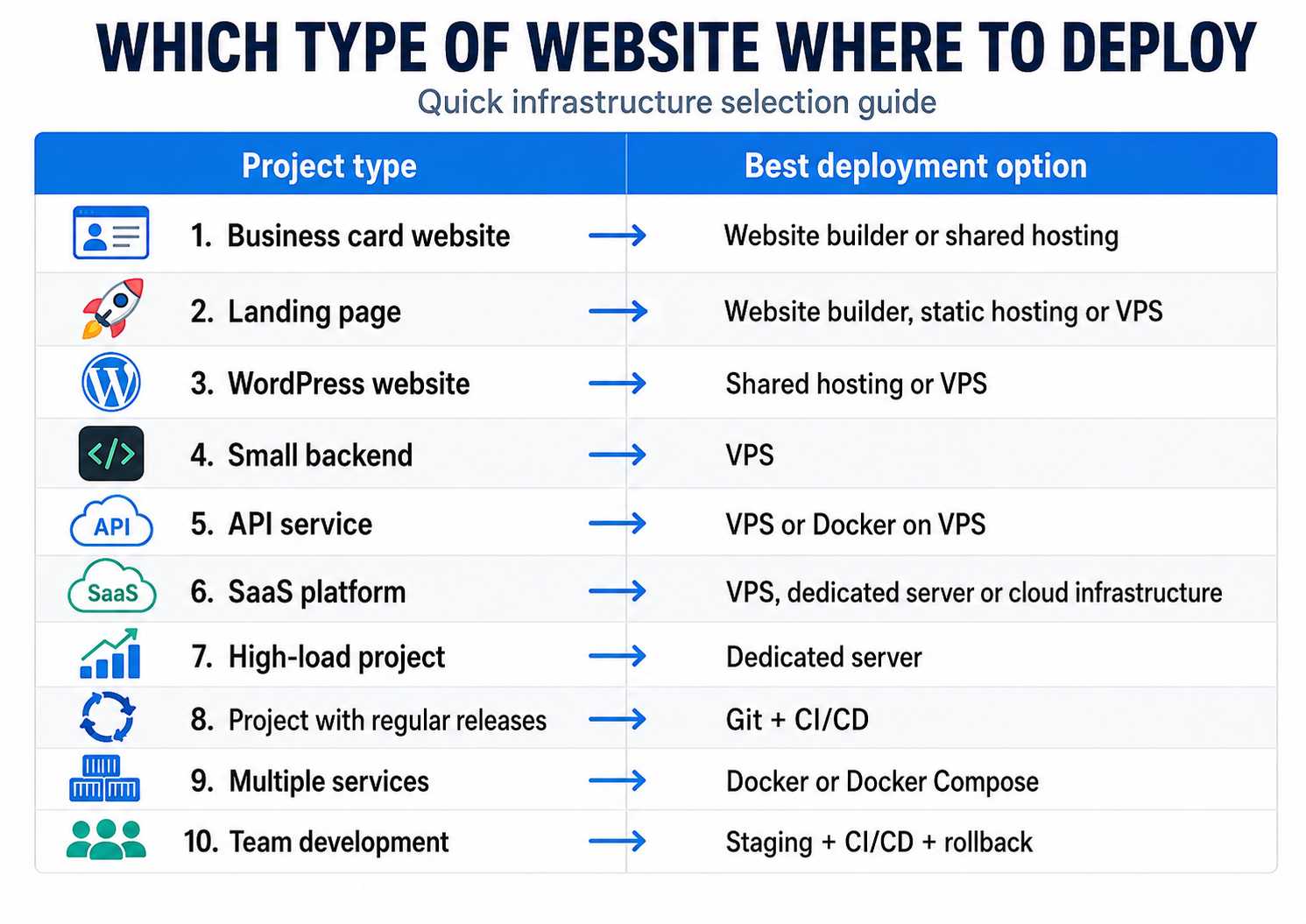
The choice depends on project complexity.
| Project type | Optimal option |
|---|---|
| Business card website | Website builder or shared hosting |
| Landing page | Website builder, static hosting, or VPS |
| WordPress website | Shared hosting or VPS |
| Small backend | VPS |
| API service | VPS or Docker on VPS |
| SaaS platform | VPS, dedicated server, or cloud infrastructure |
| High-load project | Dedicated server |
| Project with regular releases | Git + CI/CD |
| Multiple services | Docker or Docker Compose |
| Team development | Staging + CI/CD + rollback |
Common Deployment Mistakes
Most problems are caused not by the server itself, but by the lack of a clear process.
Common mistakes include:
- uploading files manually without Git;
- editing production files directly;
- storing passwords in the repository;
- not creating backups;
- not checking logs after deployment;
- not having a quick rollback method;
- using a plan that is too weak for the project;
- not updating server software;
- leaving unnecessary ports open;
- not separating test and production environments.
Good deployment should be repeatable. If every release is done differently, sooner or later it will lead to an error.
Conclusion
Website or web application deployment should be selected based on the task, not based on the popularity of a tool.
For a simple website, a website builder or static hosting may be enough. For a project with a backend, database, and flexible environment configuration, it is better to choose a VPS. For high-load systems and projects with special resource requirements, a dedicated server is often the right option. If the project is updated regularly, it is better to use Git, deployment scripts, Docker, or CI/CD from the beginning.
The main principle is simple: infrastructure should match the level of the project. There is no need to overcomplicate deployment where a website builder is enough. At the same time, a serious web application should not be hosted in an environment where there is no control over configuration, logs, security, and scaling.
At Zomro, we recommend starting with the real requirements of the project: which stack is used, what load is expected, who will administer the server, and how often updates will be released. Only after that should you choose the right platform for launch — from a website builder to a VPS or a dedicated server.
```
 CLOUD VPS
  DEDICATED SERVERS
  HOSTING
  3 months